Best Islamic Apps for Kids (2026): A Parent's Honest Guide
Searching for an Islamic app for kids brings up hundreds of results — cartoon Quran teachers, salah games, story collections — and no easy way to tell which ones are safe. This guide breaks down the main categories of Muslim apps for kids, gives you a short safety checklist (ads are the #1 red flag), and is honest about where a prayer app like Hayya fits in a family — and where it doesn't.
The three main categories of kids' Islamic apps
1. Quran learning apps
These teach Arabic letters, tajweed basics and short surah memorization, usually through repetition games and audio from a qari. The good ones let a child hear an ayah, record themselves, and compare. When evaluating, listen to the recitation quality yourself and check whether the "full curriculum" sits behind a subscription — many are free for Alif-Ba and paid after.
2. Salah teaching apps
These walk children through wudu and the positions and words of prayer, often with animated characters. They're a useful supplement, but salah is learned mostly by praying next to a parent — an app can rehearse the words, but the habit comes from the home. We've written a full companion guide on how to teach kids salah, including what ages tend to be ready for what.
3. Stories, adab and Arabic apps
Prophet stories, dua-for-kids collections, Islamic manners and beginner Arabic vocabulary. These vary the most in quality. Skim the actual stories before your child does — a few apps paraphrase seerah loosely, and you'll want the version your child hears to match what they'll learn at the masjid or Sunday school.
The kid-safety checklist (run this before any download)
No third-party ads — this is #1. Ad networks decide what your child sees, and they target the user, not the app's theme. There are documented cases of inappropriate ads appearing inside children's apps across every category. An Islamic app that shows network ads to children is disqualified on the spot, whatever its content.
Read the privacy label. On the App Store listing, scroll to "App Privacy." Children's apps have no business collecting identifiers, location or usage data. "Data Not Collected" is the answer you want. Here's how to read those labels →
Check the purchase model. A clear one-time price or a family-friendly subscription is fine. Coin systems, streaky "watch to unlock" mechanics and aggressive paywall pop-ups mid-lesson are not.
Use it yourself first. Ten minutes of you tapping through the app catches almost everything: tone, accuracy, dark patterns, whether it nags. Then decide.
Where Hayya fits — an honest answer
Let's be straight: Hayya is not a kids' app. There are no cartoons and no games designed for seven-year-olds, and we'd rather tell you that than pretend otherwise. Hayya is a prayer companion built for adults and teens — prayer times, one-tap prayer logging, a streak with mercy, qibla, duas and dhikr.
Where it genuinely works for families is the older end. Once a teenager has their own iPhone, the challenge shifts from "learning the motions" to "owning the habit" — and that's exactly what Hayya is built for. The Salah Nur streak and Hasanat points give a teen visible momentum; Daily Quests add small, doable goals; and the Learn section ("What am I saying?") explains the meaning of the words they've been reciting since childhood, which is often the missing piece at that age. And because Hayya has zero ads, zero analytics and keeps location on-device, it clears the same safety checklist above — a bar plenty of adult apps fail.
Many parents simply use Hayya themselves, side by side with their kids' paper chart: you log your prayer in the app, they color in their box, and everyone's streak is family business. Modeling the habit beats assigning it.
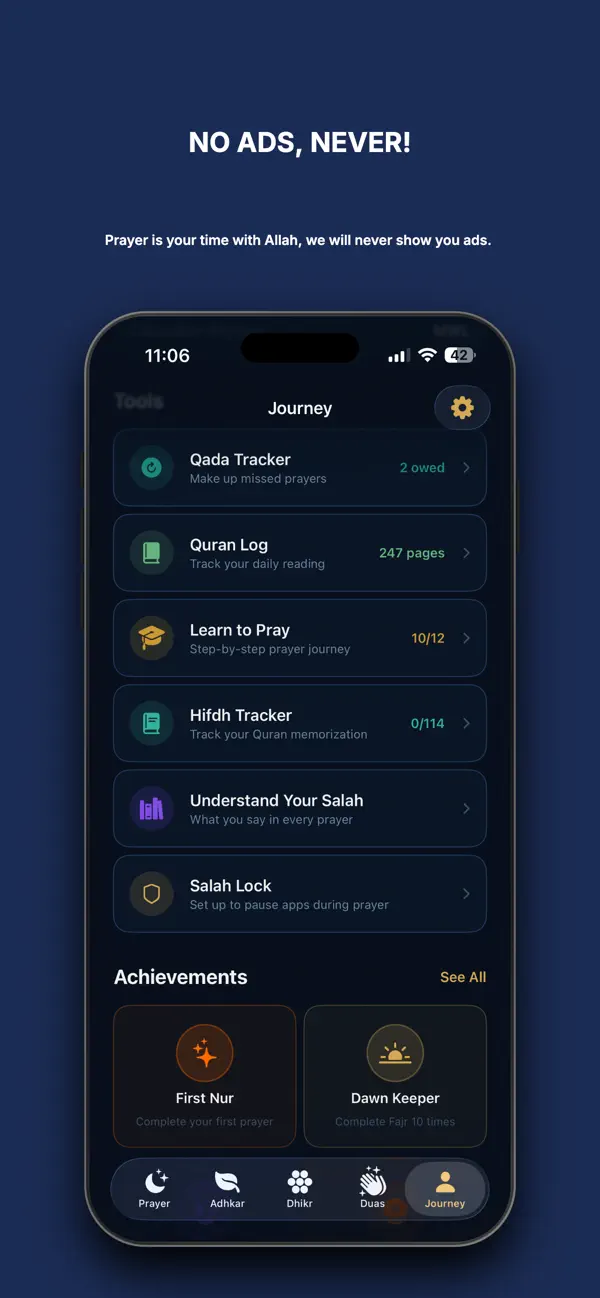

A prayer app the whole family can trust
Zero ads, zero tracking, free forever for core features. Built for adults and teens. iPhone, 9.4 MB.
Download Hayya FreeA simple setup by age
- Ages 3–6: mostly screen-free — praying beside you, short surahs by repetition, one gentle story app if any. Apps are dessert, not dinner.
- Ages 7–12: a Quran learning app used together, a paper salah chart on the fridge, and your own consistent example. This is the age the Prophet ﷺ taught us to begin encouraging prayer, so encouragement — not tracking software — is the tool.
- Teens: their own ad-free prayer tracker (this is where Hayya fits), plus a Quran app for reading. Autonomy matters at this age; a private, judgment-free streak is more motivating than a parent checking a dashboard.
One family, three tools, no ads anywhere. That's the whole strategy.
FAQ
What should I check before giving my child an Islamic app?
No third-party ads (non-negotiable), a clean App Store privacy label — ideally "Data Not Collected" — purchases gated behind parental controls, and content that matches what your family teaches. Try it yourself for ten minutes first.
Is Hayya a kids' app?
No — it's designed for adults and teens. But it passes every kid-safety check (no ads, no tracking, on-device data), so families use it together: parents track their own salah and teenagers run their own streak.
At what age can a child start using a prayer app?
Young children do better with paper charts and praying alongside you. Once a child has their own device — typically early teens — an ad-free tracker helps them own the habit themselves.