How to Block Distracting Apps During Prayer Time on iPhone
The adhan calls. You reach to put your phone down — and twenty minutes later you're still on Instagram. The fix isn't more willpower; it's removing the choice. A salah app blocker automatically pauses your distracting apps around each prayer window, so the easiest thing to do is pray.
Why willpower fails at prayer time
Social apps are engineered to capture exactly the moment you have — "just one more scroll" is the product working as designed. Habit research is clear: changing the environment beats resisting it. If Instagram simply isn't available at Dhuhr, there's nothing to resist.
Your options on iPhone
Screen Time / Downtime (built-in)
Apple's Downtime blocks apps on a fixed schedule — but prayer times move every single day with the sun, and Downtime doesn't know whether you've prayed. You'd be editing five schedules weekly.
Generic focus blockers
Apps like one-tap focus timers work, but you must remember to start them — at exactly the moment you're being distracted.
A salah-aware blocker: Salah Lock
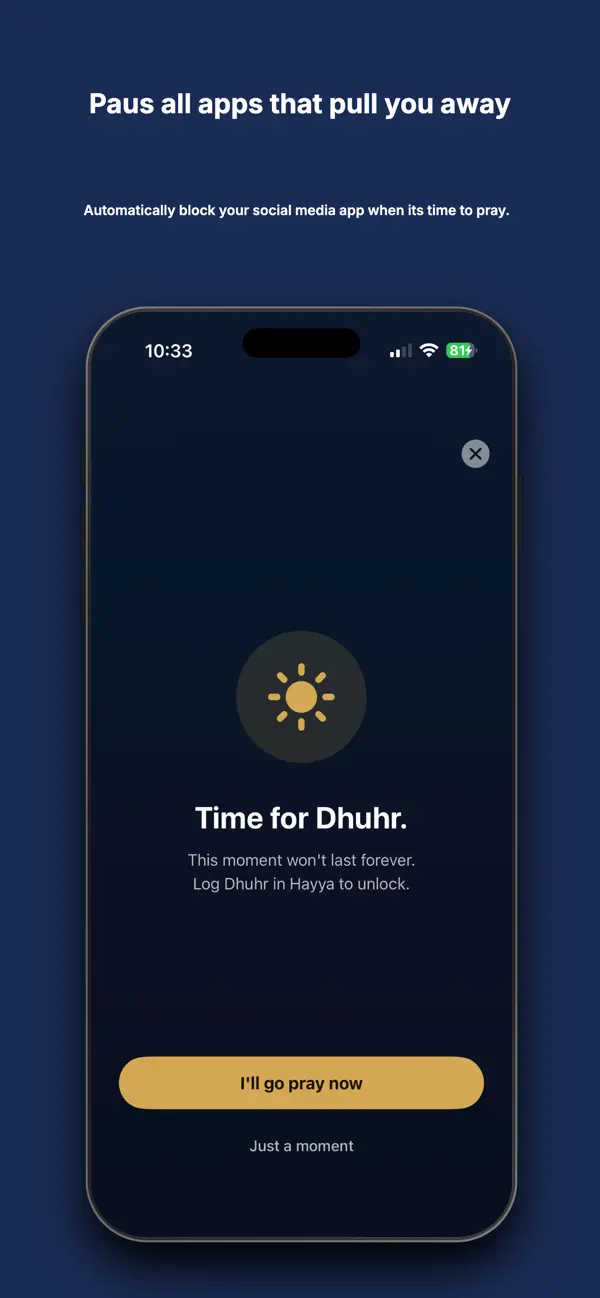
Hayya's Salah Lock knows your prayer timetable and acts automatically. It pauses the apps you choose around each prayer window — and here's the part that changes behavior: the shield lifts the moment you log your prayer. Praying becomes the literal unlock for your phone.
Set up Salah Lock in 4 steps
- Enable Salah Lock in Hayya (a Hayya Pro feature — 14-day free trial) and grant the Family Controls permission Apple requires.
- Pick your apps: Instagram, TikTok, X, games — whatever pulls you away. Your selection never leaves your phone.
- Prayer windows apply automatically from your calculation method and location — nothing to schedule.
- Pray, then log it. One tap in Hayya and your apps come back. You stay in control: enable, customize or pause Salah Lock anytime.
Is this safe and private?
Salah Lock is built on Apple's Family Controls framework — the same system-level, sandboxed technology behind Screen Time. It's fully opt-in, there are no parental controls, no remote management, and Hayya cannot see which apps you selected: that data stays on your device, like everything else in Hayya.
Make prayer the unlock, not the interruption
Salah Lock is part of Hayya Pro — try it free for 14 days. Core prayer features free forever.
Download Hayya FreeFAQ
Is there an app that blocks social media during prayer times?
Yes — Hayya's Salah Lock pauses your chosen apps around all five daily prayers automatically and unlocks them when you log the prayer.
Can I still receive calls and messages?
Yes. You choose exactly which apps pause — calls, messages and anything you don't select stay available.
What if I genuinely need a blocked app?
You stay in control: Salah Lock can be paused or customized at any time. It's a gentle shield, not a cage — the design goal is to interrupt autopilot scrolling, not to police you.